 Holiday coding · P5 & P6 · Nov–Dec 2026
Build your own website in 10 days.
Write real HTML, CSS and JavaScript by hand. Finish with a website that has its own address — one your family and friends can open on any phone.
try it — this could be yours ✏️
Four things every student walks away with
We care about what a child can do on their own. Every lesson builds one of these.
Have your own idea
The theme, the look and the features of the final project are chosen by the student.
Build it yourself
Every line is typed by hand. No ready-made pieces, no drag-and-drop.
Turn it into a product
The work is published as a website that other people can open and use.
Meet the real world
Real visitors drop by, and they can leave a bubble tea to say thanks.
Pick your final project
The first five days are the same for everyone. The last five build the project you choose.
Virtual pet
Project AA pet that hatches from an egg and grows as you look after it. It reacts to what you give it, and remembers its level the next time you open the page.
Slides with buttons
Project BA slide deck on any topic you love, with next and back buttons and a page number — all inside one web page.
Student gallery
Finished websites go on show here. Open one and try it.
The two above are samples made by the course team. Student websites take their place as the first students finish.
The 10 days
Each day has one must-do task of five to ten minutes and one optional challenge. The website grows a little every day.
What a website is
Change the title and the theme colour.
HTML tags
Add headings, text, pictures and lists.
CSS colours and fonts
Choose the colours and font. Download your file.
Boxes and layout
Turn content into cards that look good on a phone.
Links and buttons
Jump around the page. Send the link home.
JavaScript: clicks
Press a button, the text or picture changes.
Variables and numbers
The pet gets numbers. The slides get page numbers.
If / else and memory
The pet changes mood. The slides flip both ways.
Polish
Fix what classmates spotted, add your own ideas.
Publish and present
Go live, join the gallery, collect your certificate.
How a lesson works
No videos and no live lessons. Alex shows each step in the same editor the student uses, whenever the student is ready.
1. Watch the demo
Click to move one step at a time. Go back whenever you like.
2. Your turn
Change the code in your own editor and see the page update.
3. Instant check
The task ticks itself off when the page does the right thing.
4. Classmate check
In the full course, a classmate opens your published site and ticks what works.
 PSLE AlexPrograms
PROJECT CERTIFICATE
This certifies that
mochi_maker
wrote a website by hand in HTML, CSS and JavaScript and published it at
mochi-the-dragon.pslealex.site

A certificate that points to real work
Every certificate names the project and its address. Anyone who reads it can open the website and see what your child built.
Shows the project, not a score
The website address is printed on it, and the site stays online for at least 5 years.
Can be checked
Each certificate will carry a number that anyone can check on our site.
Ready for a portfolio
Save it as a PDF and keep it with the downloaded website file.
Start free. Keep going on the same project.
The free course is days 1 to 3 of the full course. Upgrade and you carry on from where you stopped. Both are self-paced, with no live lessons.
Free · 3-day taster
Opens early NovemberStart any time, go at your own pace.
- Days 1 to 3
- Editor, demos and instant checks
- Download your website as one HTML file
- Parent view link
- Daily stamps, streak and a completion badge
Full · 10-day course
Opens early NovemberStart any time. Finish a day and the next one unlocks.
- Days 1 to 10 and the final project
- Your own address: your-name.pslealex.site
- Visitor counter and bubble tea 🧋
- Classmates check your website, you check theirs
- Ask questions inside your project, reply within 24 hours
- A place in the student gallery
- Your website stays online for at least 5 years
- Certificate with a verification number
- Parent view with a 10-day timeline
S$59.90one-time
Get the full courseEvery student finishes with something real.
A public website now. Later, a robot that moves and an app that controls it. These are things a child can show and explain, and they belong in a secondary school portfolio.
See progress without logging in
Your child shares a private link. You see each day's snapshot and the current site.
Privacy by default
No real name, school or photo is needed. Before publishing, students tick a safety checklist and you get an email with the link.
The work is theirs to keep
The whole website is one file. Download it and it opens in any browser, with or without us.
Parent view
SampleTimeline
Day 1 · title
Day 3 · colours
Day 6 · it clicks
Where this leads
Each course builds on the one before. First learn how things work by hand, then learn to work with AI. First learn Python, then use it to move a robot.
Web App
Write HTML, CSS and JavaScript by hand and learn how a website works.
Web App + AI
Work with AI on code: say clearly what you want, read the changes, fix mistakes yourself.
Python
Write Python programs that run in the browser. Nothing to install.
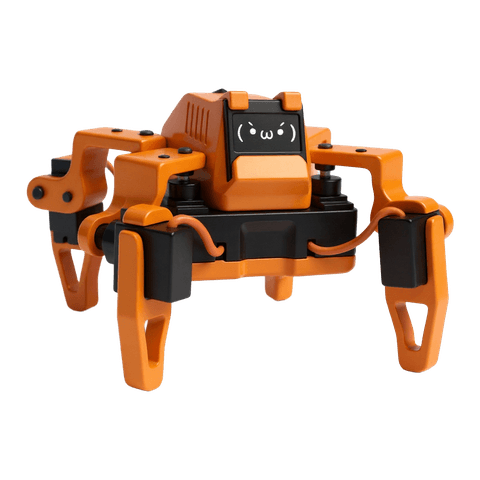
Desktop Robot
Assemble a robot, understand how it works, and program its moves in Python.
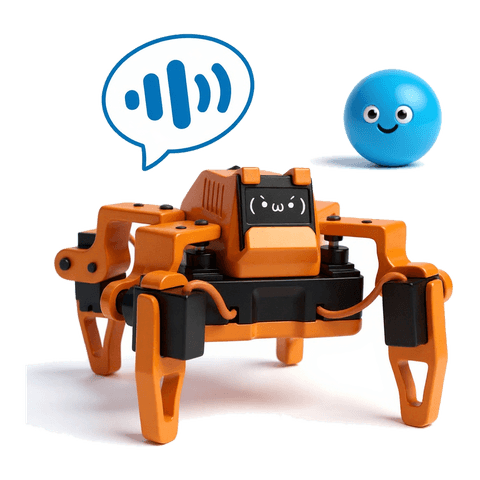
Desktop Robot + AI
Give the robot AI so it can understand what you say and act on it.
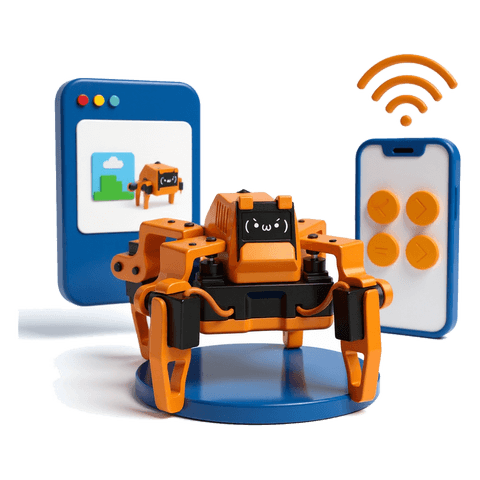
Final Project
A website that introduces your robot, the robot you built, and a controller or phone app you made to drive it.
The desktop robot is Sesame, an open-source project by dorianborian on GitHub, under the Apache 2.0 licence.
Questions parents ask
Does my child need coding experience?
No. Day 1 starts from a template that already works, and students learn by changing it.
Are there live lessons or video calls?
No. Every lesson is an interactive demo your child clicks through, followed by a task they do themselves. In the full course they can ask questions inside their project and get a reply within 24 hours.
Do we need to install anything?
No. The editor and the preview run in the browser.
Does the course use AI to write code?
Not in this course. Students type every line so they understand how it works. Working with AI is a separate course that comes after.
What can strangers see about my child?
Only what your child ticks when publishing: a username, the course number, the project name and a short description. We never ask for a real name, a school or a photo.
What happens after the free three days?
Your child downloads the website as one file that opens in any browser. If you upgrade, they continue the same project from Day 4.
How long does the website stay online?
At least 5 years, and we will do our best to keep it up after that. Your child can take it down at any time, and the downloaded file is theirs for good.
Is it the same account as PSLE Alex?
Yes. One login works on both sites.
Sign up now. Day 1 opens in early November.
Change a title, pick a colour, and you have started your first website.